14 ice cream themes · 100% local · MIT license

Chat with local AI,
your way

A beautiful, private chat interface for local models running on Ollama. Real-time streaming, conversation management, and fourteen hand-crafted ice cream color schemes.

Built for privacy, designed for delight

Vanilla Chat connects to Ollama running on your own machine. Every message stays local — no data ever leaves your computer. It's a single-page app served by an Express backend with SSE streaming, Markdown conversation storage, and a theming system that's as fun as an ice cream shop.

The entire frontend is a single HTML file with vanilla JavaScript and CSS. No frameworks, no build step, no telemetry. Just a chat app that respects you.

14
Ice cream themes
8
API endpoints
4
Provider types
Ollama, OpenAI, Anthropic, CLI
0
Dependencies
on the frontend

Everything you need for local AI

Vanilla Chat packs a surprising amount of capability into a minimalist package.

Real-time Streaming

Responses appear token-by-token via Server-Sent Events for a smooth, natural conversation feel. No waiting for the full response.

💬

Conversation Management

Create, switch between, and delete chat sessions. Each conversation is saved locally as readable Markdown files.

🚀

Multi-Provider Support

Works with Ollama, OpenAI-compatible APIs, Anthropic Claude, and even CLI tools like OpenCode, Aider, and Goose.

🍦

14 Ice Cream Themes

Vanilla, Chocolate, Strawberry, Mint, Lemon, Lime, Peach, Plum, Raspberry, Lavender, Dragonfruit, Dreamsicle, Blue Moon, and Monochrome.

🔒

100% Private

All data stays local. No accounts, no cloud, no telemetry. Connect to Ollama on localhost and nothing leaves your machine.

🔧

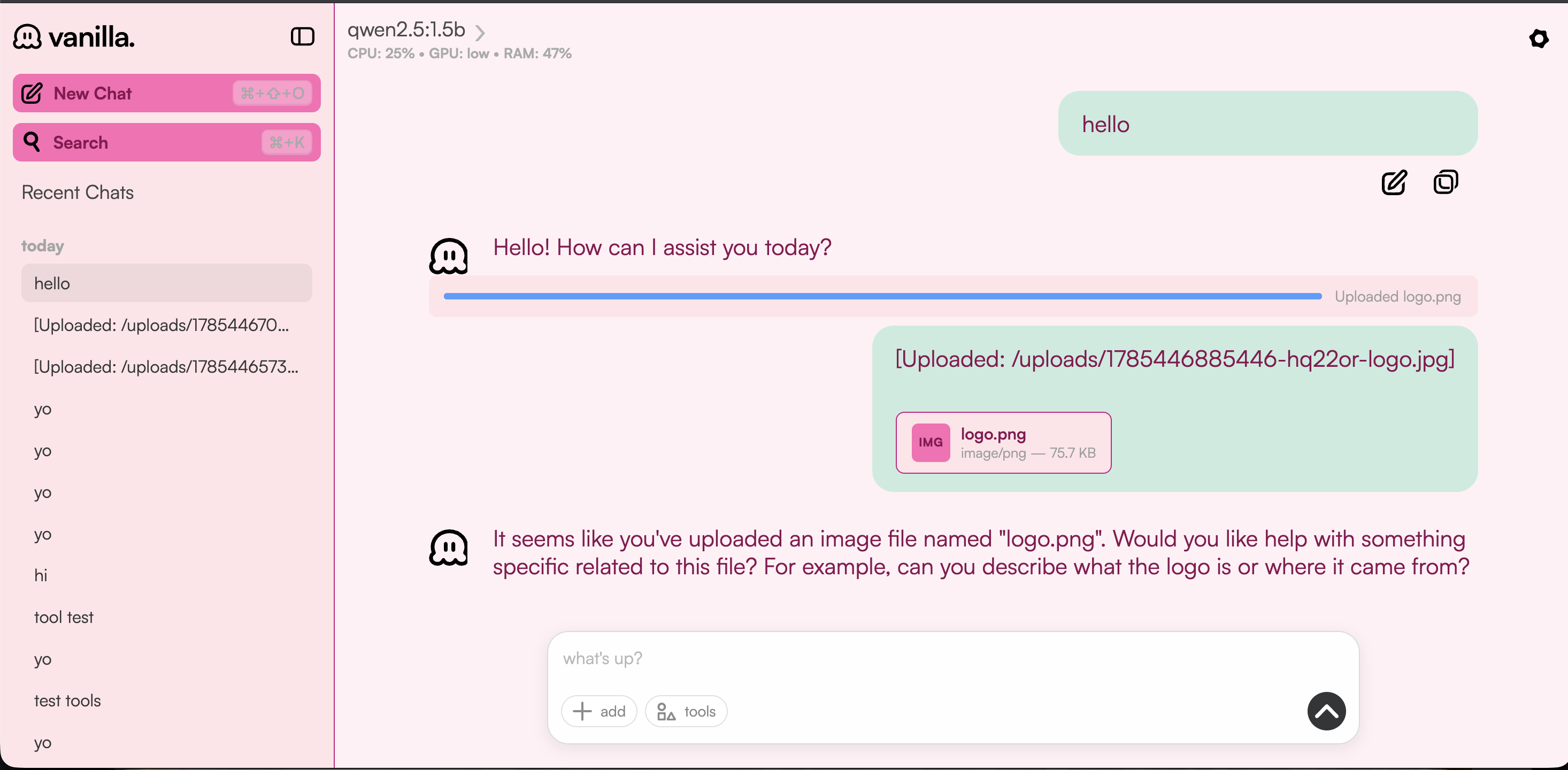
File Uploads

Attach images and documents to your conversations. Images are automatically compressed via Sharp on the server.

📈

System Monitoring

Keep an eye on CPU, RAM, and GPU usage right from the interface. Know what your local models are doing to your hardware.

🔍

Full-Text Search

Search across all your conversations with instant results. Your chat history is always at your fingertips.

Keyboard Shortcuts

Power-user shortcuts for every action: new chat, search, submit, theme switching, and more. Stay in the flow.

💻

Desktop App (Coming Soon)

A standalone desktop application built on Gelectron — an Electron replacement powered by Rust and the OS platform WebView. Install and run without a terminal.

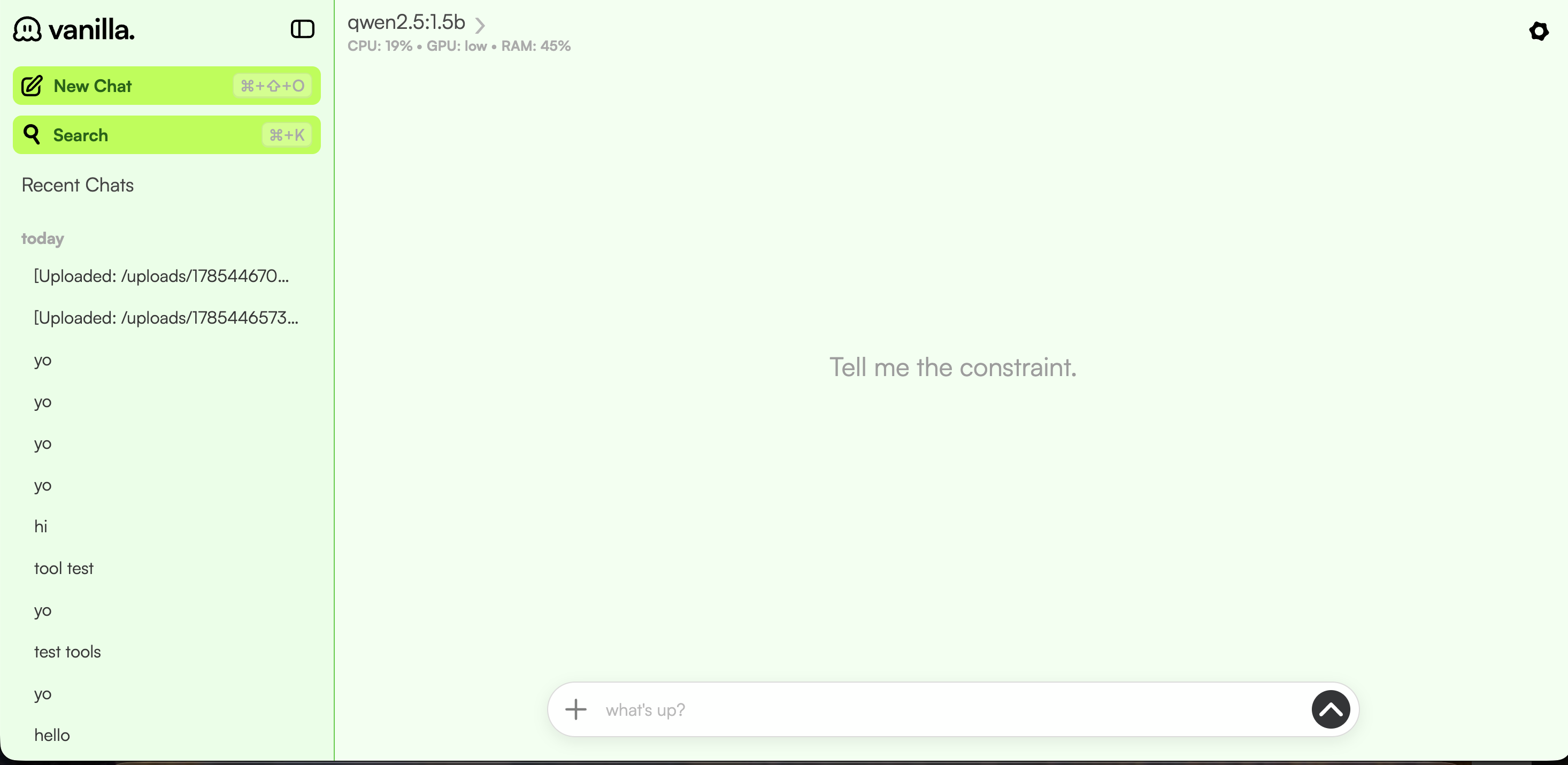
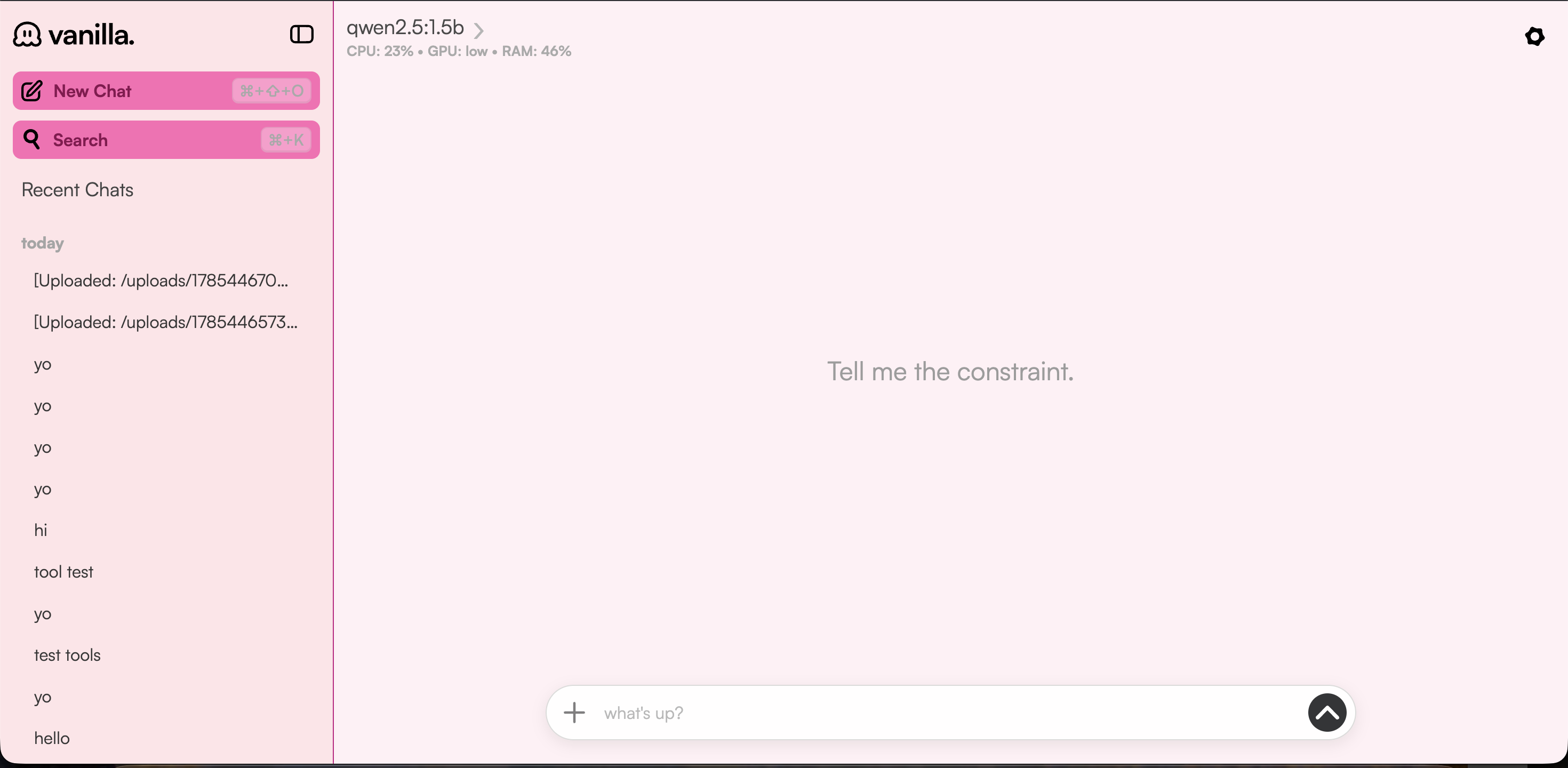
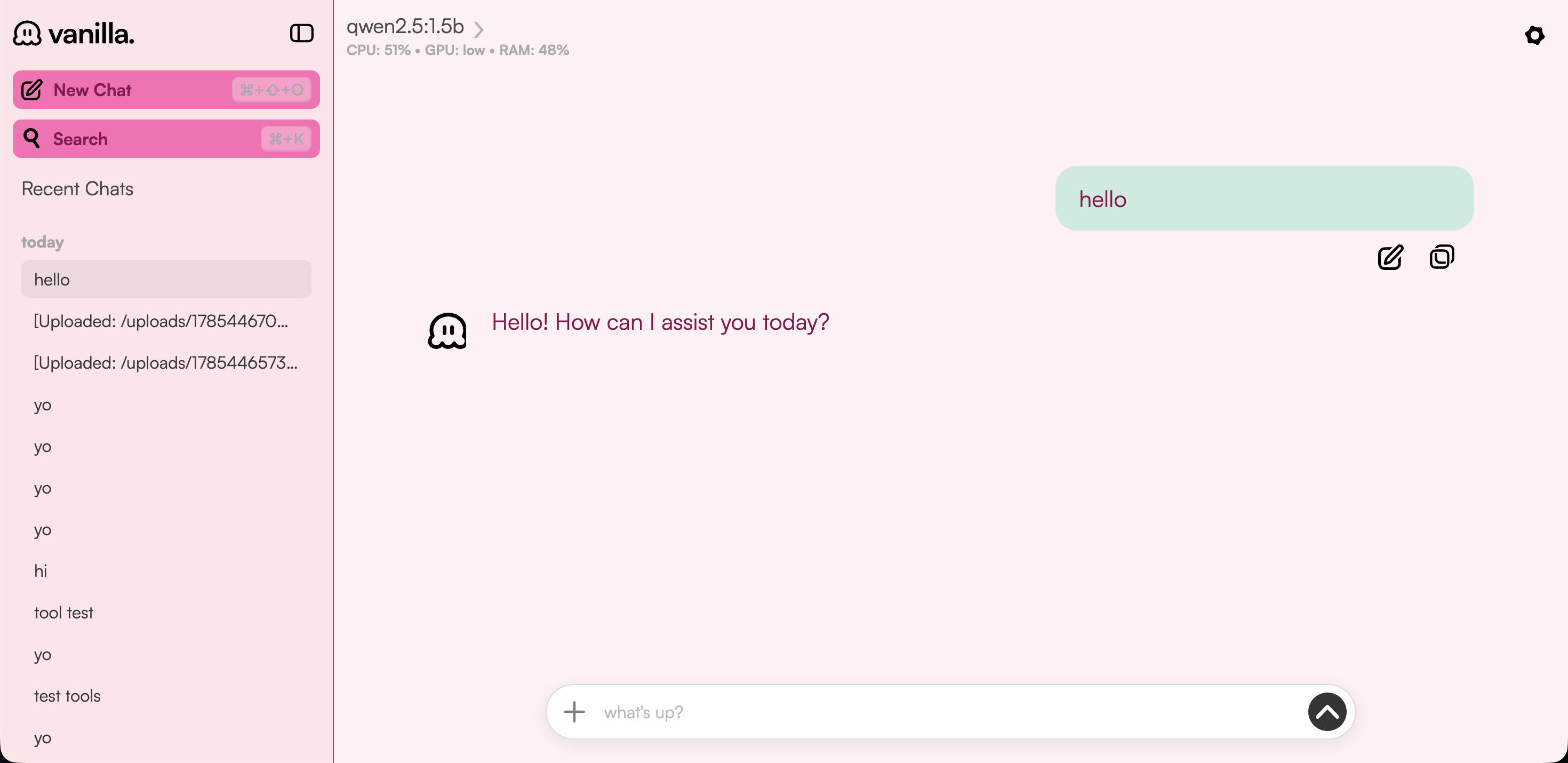
See it in action

The chat interface, theme switcher, conversation management, and model selection.

Chat interface with streaming responses
Real-time streaming with the ice cream theme applied
Theme switcher with all 14 flavors
Theme selection — pick your flavor
Conversation sidebar
Conversation sidebar for managing chat sessions
Model picker and settings
Model selection and application settings

From terminal to conversation in seconds

Getting started with Vanilla Chat is straightforward — no build tools, no cloud accounts, no hassle.

01

Start Ollama

Make sure Ollama is running on your machine with ollama serve and pull a model like llama3.2.

02

Run the server

Clone the repo and run npm start. The Express server serves the single-page app, the API, and SSE streaming on port 3000.

03

Start chatting

Open http://localhost:3000 in your browser, pick a model and a theme, and start your first conversation.

A flavor for every mood

14 carefully crafted color palettes, from classic Vanilla to bold Dragonfruit. Each theme adjusts every UI element — messages, borders, status bar, and backgrounds.

Vanilla

Classic cream and beige

Chocolate

Rich brown and tan

Strawberry

Sweet pink and red

Mint

Fresh mint green

Lemon

Bright yellow and gold

Lime

Bright lime green

Peach

Soft peach and coral

Plum

Deep purple tones

Raspberry

Rich red and pink

Lavender

Soft purple tones

Dragonfruit

Vibrant magenta and pink

Dreamsicle

Orange cream and peach

Blue Moon

Cool blue and cyan

Monochrome

Classic black and white

Simple REST endpoints, one SSE stream

Vanilla Chat exposes a clean HTTP API for health checks, model listing, conversation CRUD, and streaming chat completions.

Endpoint Method Description
/api/health GET Health check — is the server alive?
/api/models GET List available Ollama models
/api/conversations GET List saved conversations
/api/conversations POST Create a new conversation
/api/conversations/:id GET Get conversation messages
/api/conversations/:id DELETE Delete a conversation
/api/chat/stream POST Send message and stream response (SSE)
/api/system GET CPU, RAM, GPU system stats
🚀 Coming Soon

The Vanilla Chat Desktop App

A standalone desktop application that bundles everything into a single installable package. No terminal, no Node.js, no configuration — just download and chat.

Powered by Gelectron

Under the hood, it's Gelectron — a drop-in Electron replacement built on Rust and the OS platform WebView. It gives you the same Electron API surface without bundling Chromium. Smaller, faster, and memory-safe.

Gelectron is an open-source, MIT-licensed project in active development. The Vanilla Chat desktop app will ship as a single installable — click, install, and you're chatting with your local models.

Learn more about Gelectron →

What to expect

🏛 Native experience — Runs in its own window with tray support, native menus, and OS notifications.

🚀 Zero setup — Bundles the server and UI into one package. No Node.js, no terminal, no npm install.

🌊 Cross-platform — macOS, Windows, and Linux supported via Gelectron's Rust core.

🔒 Same privacy — All data stays local. No accounts, no cloud, no telemetry. Same guarantees as the web version.

Open Source — almost there

Vanilla Chat is being prepared for its public release. The source will be available on GitHub under the MIT license once we've polished a few final edges.

Not ready yet — stay tuned

In the meantime, you can run it locally with npm start connected to Ollama.

Licensed under MIT